Call it out.
We catch it.Measurement storage with hands-free voice capture.
The one place you trust to hold every measurement — captured by hand or hands-free by voicePRO+. Speak the numbers from under the sink or up the ladder; they land in your bench in millimetres, ready when you are.

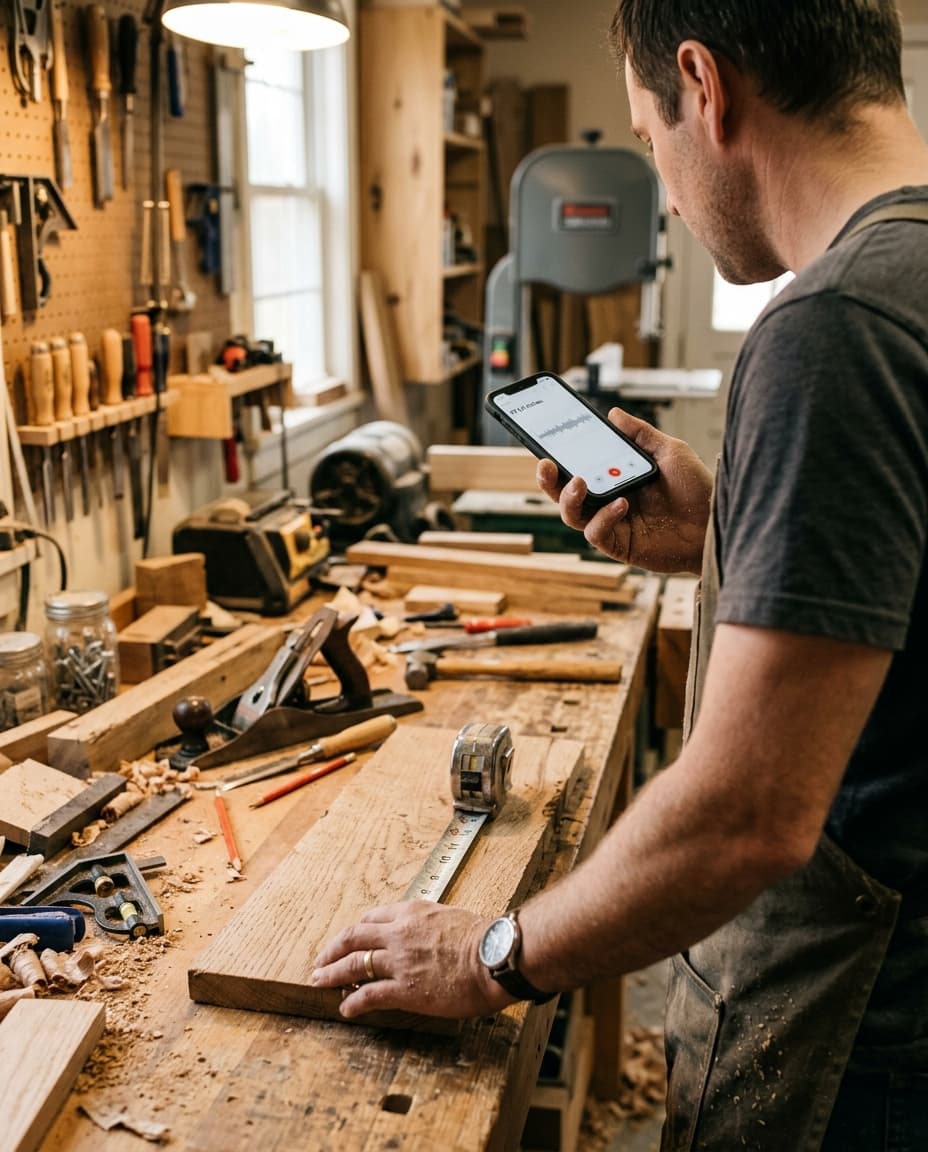
Both hands on the job.
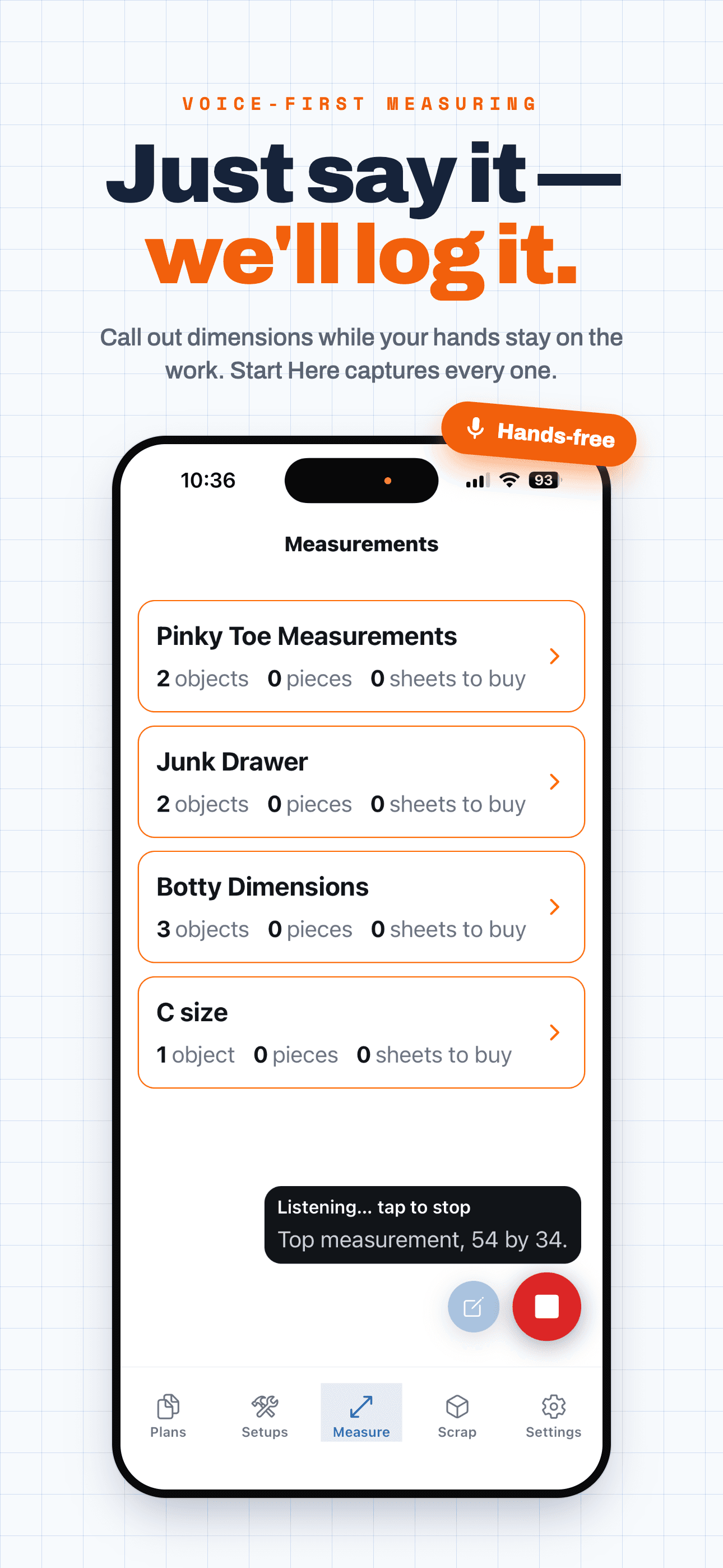
Say the number.
Tap once and talk. Voice capture transcribes what you say, pulls out every dimension, and files it in millimetres — no pencil, no phone juggling, no climbing back down to write it on your arm.
Built for the trades and service techs who take measurements in the worst spots on the job — jammed under a sink, folded into a crawlspace, one arm behind a water heater, balanced on a ladder. Stop contorting to jot a number and lose it. Call it out and keep working. It saves your back, and it saves you the trip back.
Try voice capture →“Cabinet opening is ninety-six and a quarter wide by thirty and a half tall, and the base panel is twenty-three and seven eighths…”
Every project. Every cut. Saved.

Catch the number. Trust it later.
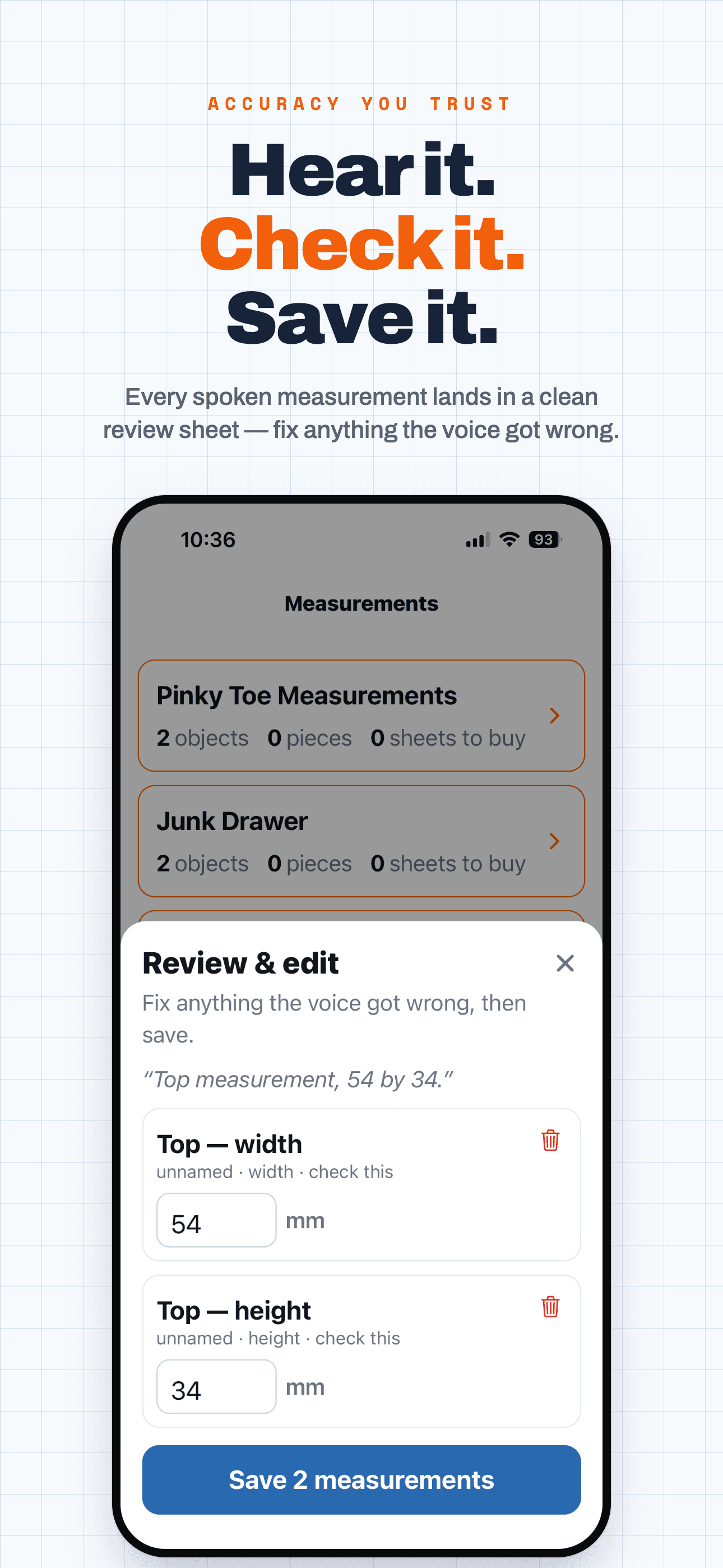
Speak it hands-free or punch it in — object, pieces, width, length, quantity. Hands full or buried in a cabinet, the number still gets caught.
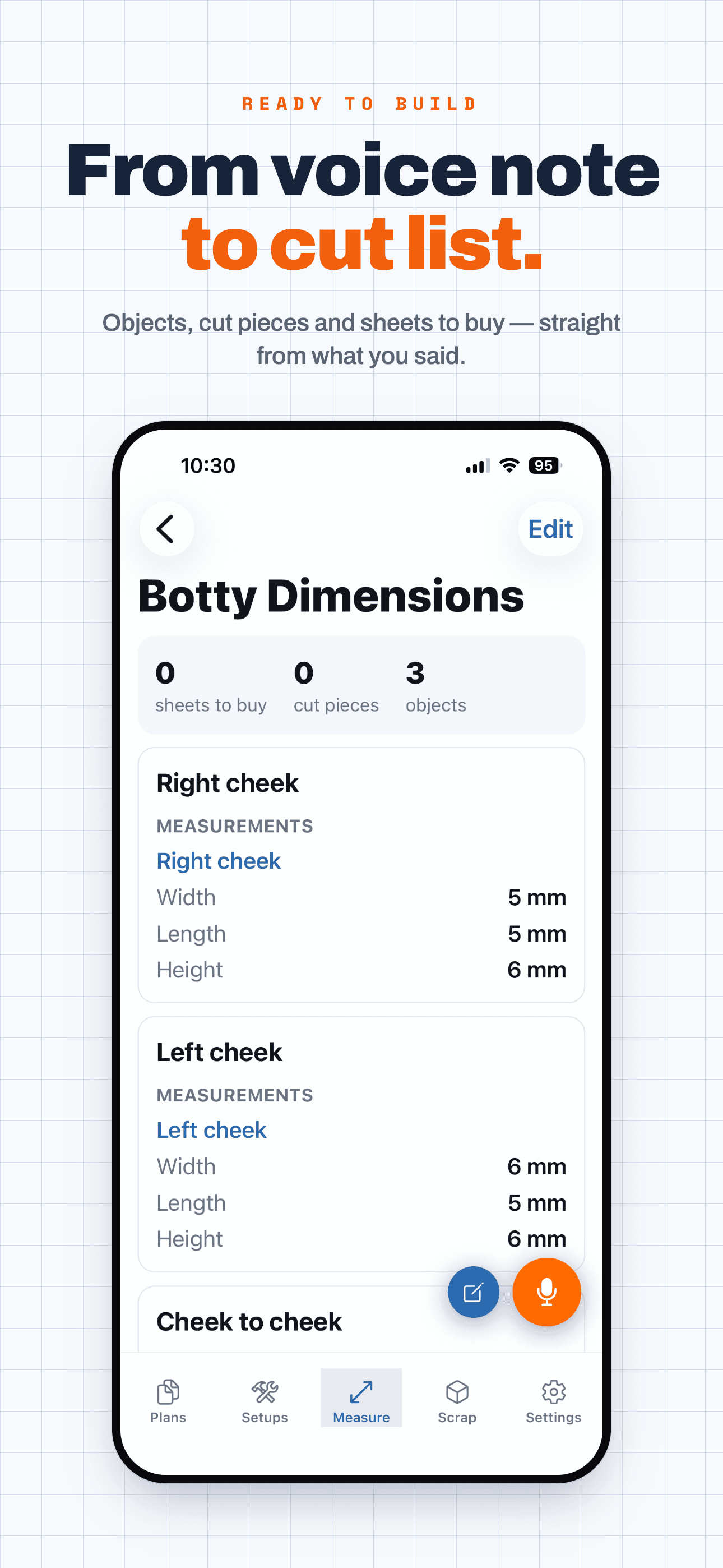
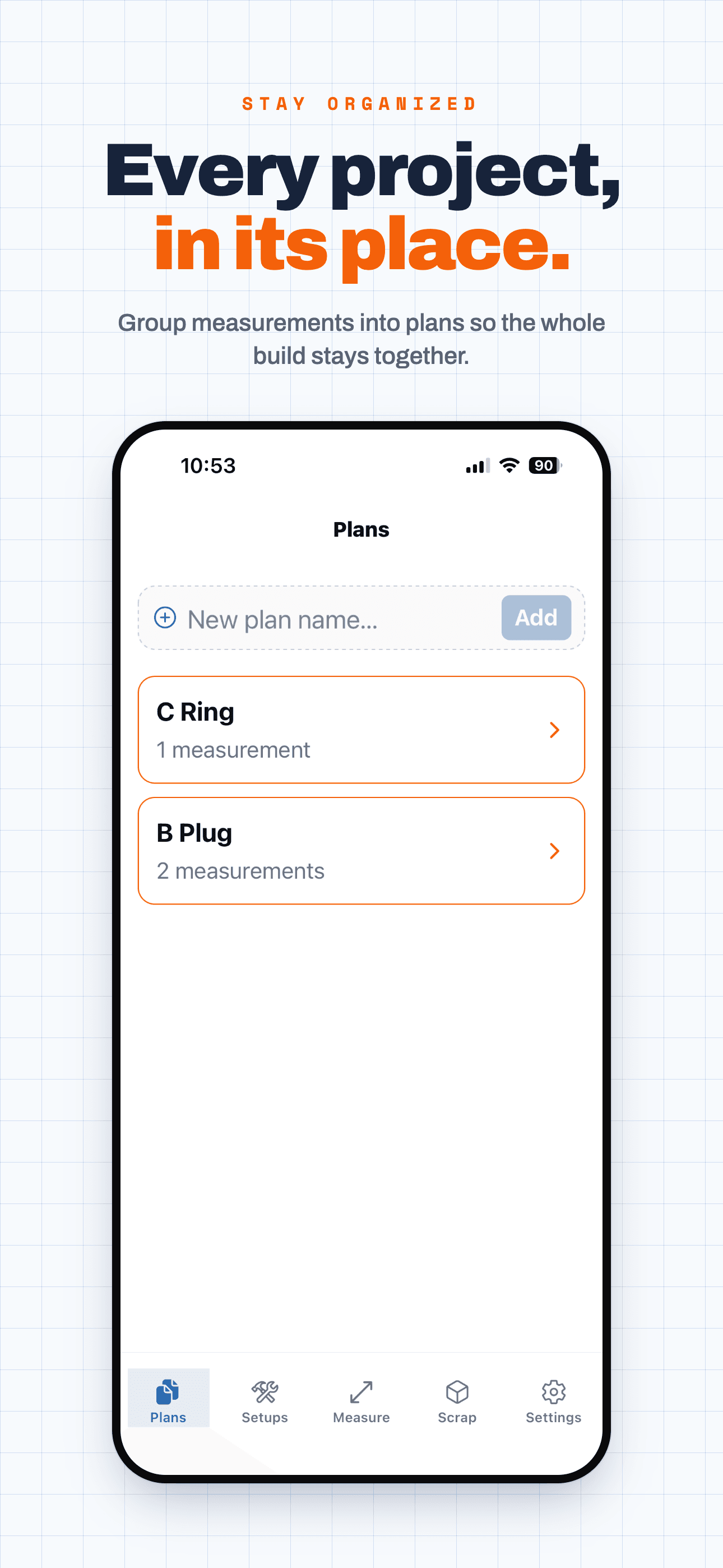
Saved to your bench in millimetres, grouped into a named project. No scraps of paper, no re-measuring, no second-guessing later.
Open it on any machine, export the cut list, and buy exactly the right number of sheets. The number you called out is the number that's there.
The vault goes where you go.
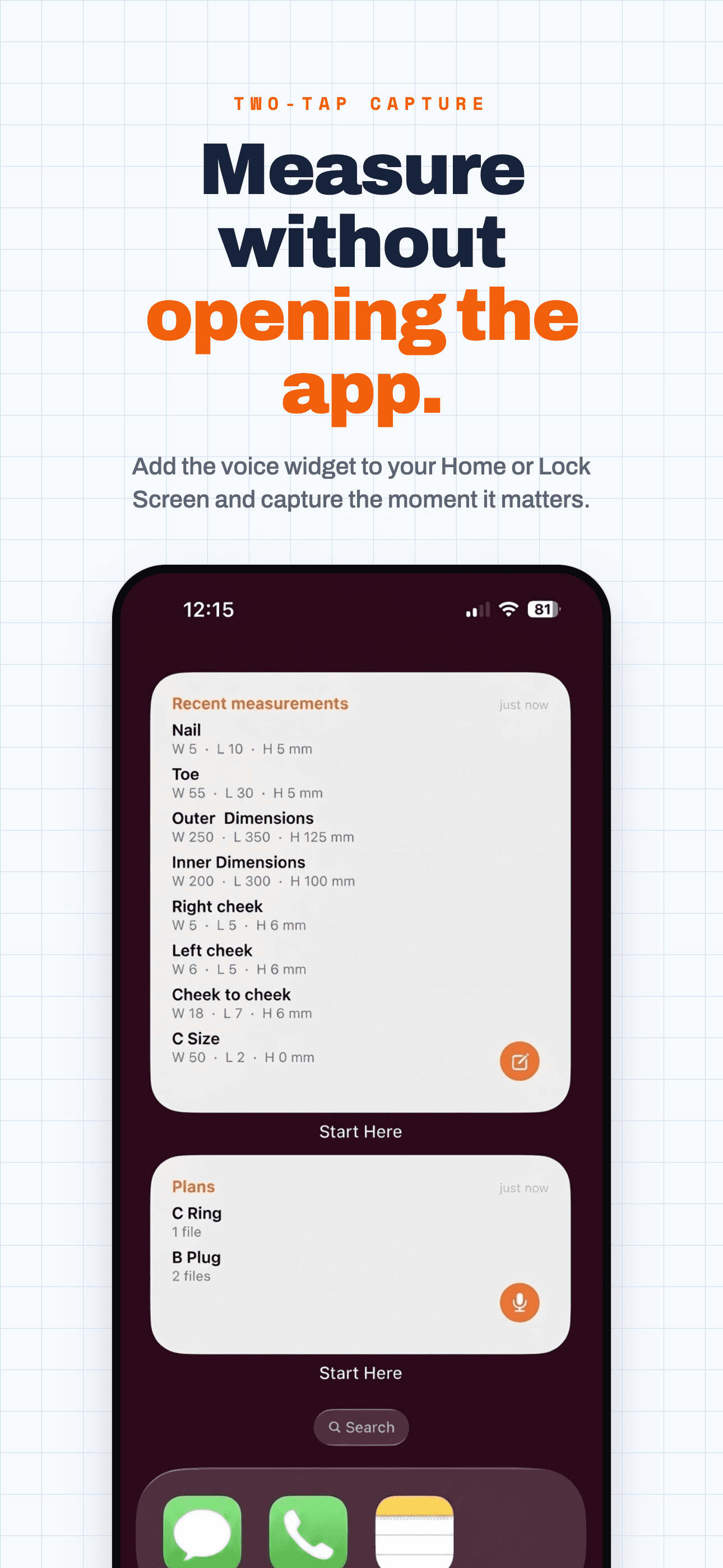
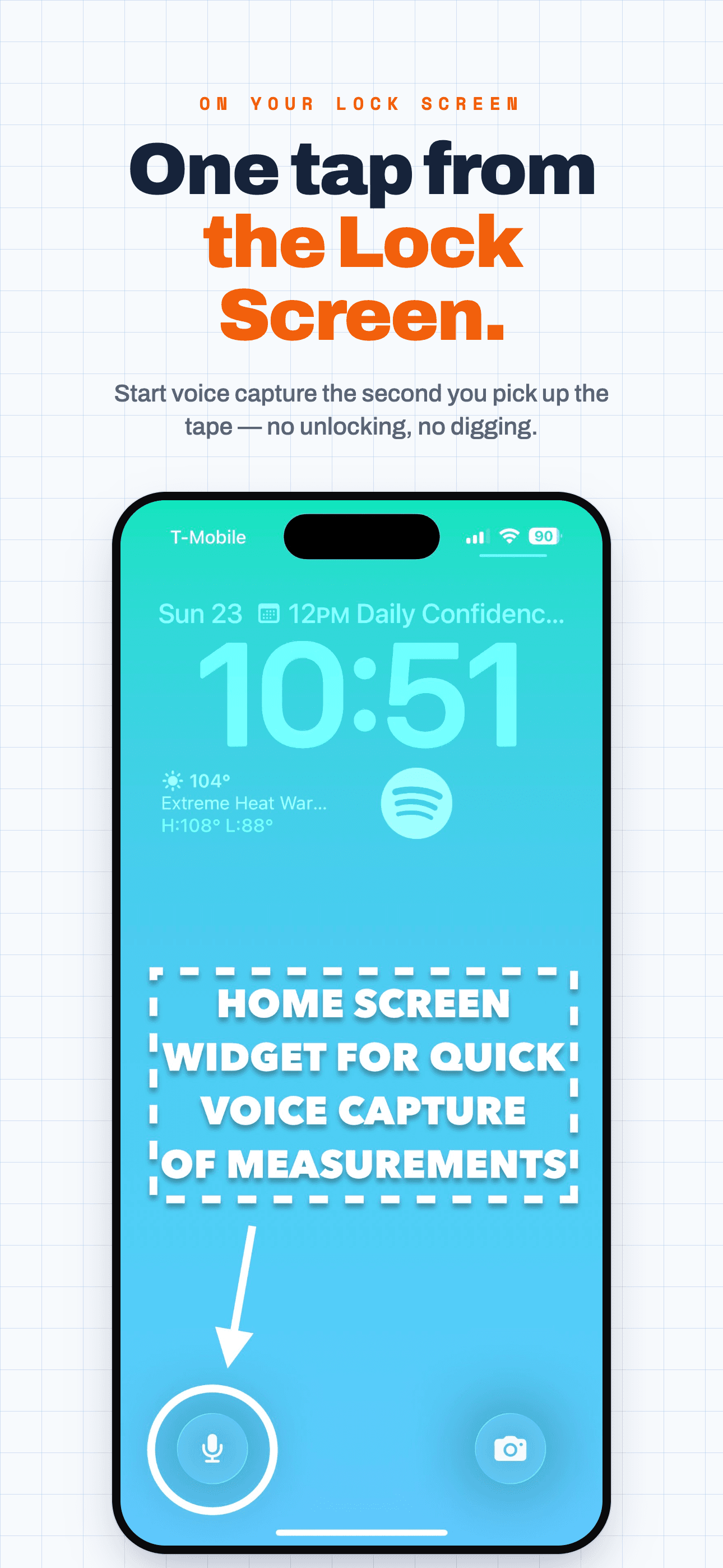
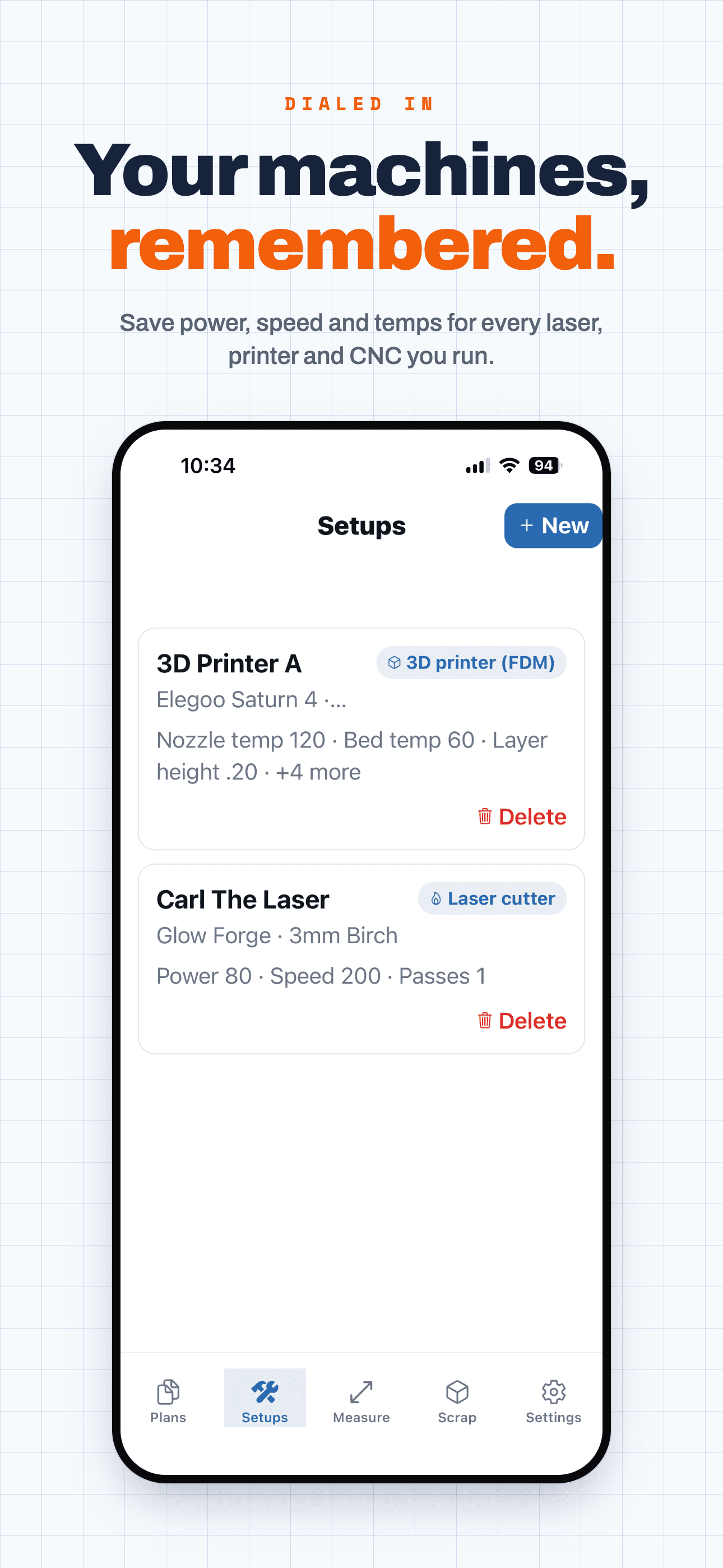
The same bench, in your pocket. Fire off a measurement from a Lock Screen or Home Screen widget, check what voice caught, and walk away with a cut list — all without putting the tape down. Swipe through the app →
Lock it in.
- +Box Maker — plain boxes, SVG export included
- +Save your measurements
- +Machine calibration storage
- +Rules of thumb & templates
- +Unlimited access to every tool
- +All export types (CSV / DXF / SVG)
- +Email a cut list to the shop
- +Everything in Pro
- +Per-seat team billing
- +Roles, permissions & analytics
Say the number, it files itself. Sold on its own, so you only pay for it if you want it — no plan required.
- +Both hands stay on the job
- +Works on web and the mobile app
- +Learns your corrections over time
Your new little black book.
Add your numbers →Frequently asked questions
- What's the easiest way to record measurements on a job?
- Say them out loud. Tap the mic, speak the number, and it transcribes your voice into a clean measurement saved in millimetres — no putting the tape down to type. Voice capture is the Pro+ add-on — $20/mo on its own, or $15/mo if you already pay for Pro.
- Can I record my measurements with my voice and have them saved as text?
- Yes. Voice capture turns what you say into filed measurements you can edit and keep. It is hands-free, so you can measure from under a sink, up a ladder, or in a crawlspace. Voice capture is the Pro+ add-on, bought separately from any plan.
- Will my measurements be there on my next job and on any device?
- Yes. Everything saves to your account, so you can pull up a cut list on any machine, any job, without re-measuring.
- What's the easiest way to store and reuse measurements across multiple laser cutting projects?
- Save them to your account instead of to a scrap of MDF. Measurements file under a project as objects, cut pieces and quantities, so job two starts from the numbers job one already proved — the same drawer opening, the same stock thickness, the same panel sizes. Every value is stored in millimetres, so nothing drifts when you reuse it months later.
- How do I create a cut list and organize measurements for woodshop projects?
- Measure the parts into a project — object, cut piece, quantity — then compile them into a cut list you can export or email to the shop. Because the numbers live under the project instead of in your head, the list matches what you actually measured, and the sheets-to-buy count comes off the same data instead of a second guess at the lumber yard.
- Can I work in metric and imperial?
- Both. Enter and read millimetres or inches; every value is stored canonically in millimetres so nothing drifts or rounds off.
- Can I turn my measurements into a cut list?
- Yes — compile them into a cut list and export or email it to the shop.
- Is this good for trades and field measuring?
- Absolutely. Hands-free voice capture is built for measuring in the field — on a ladder, in a tight space — where stopping to type isn't an option.